


Higgsfield: From Still Images to Cinematic Video – A Deep Dive

How Higgsfield is transforming static visuals into motion, and what it means for creators, marketers, and businesses in 2025.
Introduction
Still images have long been the staple of branding, product showcases, social media posts, and many marketing assets. But human attention is shifting rapidly toward motion — short videos, animated stories, cinematic product reveals. These formats drive more engagement, emotional connection, and storytelling potential than static visuals ever could.
That’s where Higgsfield comes in: a generative AI platform designed to convert still images into dynamic, cinematic video content. It bridges the gap between photos and film by enabling businesses and creators to add motion, emotion, and personality to their visuals — without needing a film crew or a post-production team.
This deep dive explores what Higgsfield is, how it works, what makes it different, and how companies can leverage it for marketing, content creation, and brand storytelling in 2025 and beyond.
What is Higgsfield?
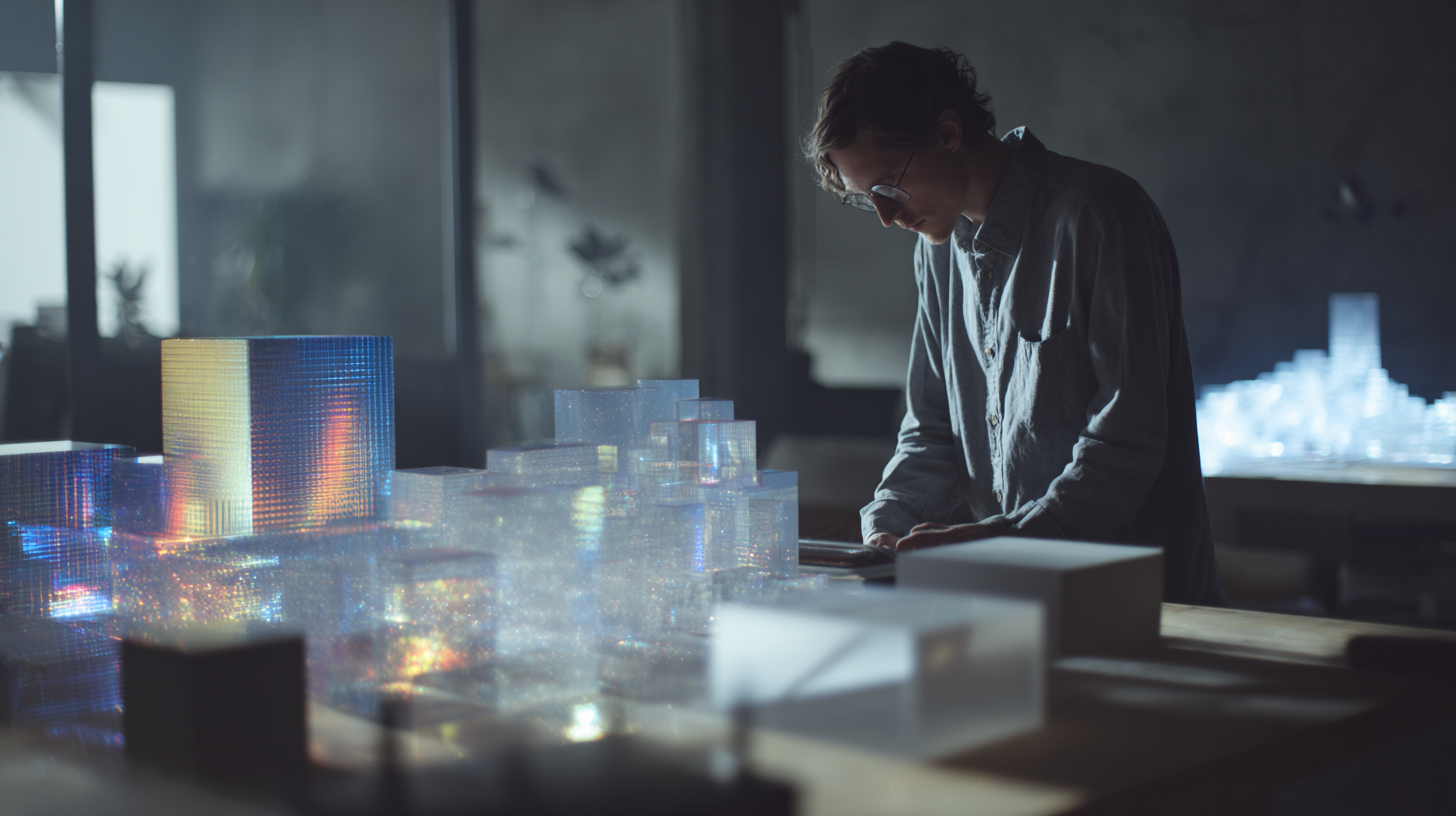
Higgsfield is an AI-powered creative platform that blends image generation, animation, VFX, avatars, and cinematic transitions into one suite. While other tools focus on static image generation or limited prompt-based animation, Higgsfield excels in turning images into high-quality, motion-rich videos.
At its core, Higgsfield helps users:
- Animate static photos with camera motion and effects
- Create multi-shot video scenes with consistent subjects
- Apply professional VFX to elevate aesthetic appeal
- Add interactive elements like avatars, lip sync, outfit swaps
- Generate social-ready videos from minimal input
Make one change, then another, and another — while keeping the subject consistent. Useful for testing versions or making iterations without starting over.
Key Features Breakdown
1. Image-to-Video Generation
Upload a still image, choose a camera motion preset (like dolly zoom or aerial pan), and Higgsfield transforms your photo into a dynamic, cinematic clip. It simulates depth, perspective, and environment motion, giving the illusion of a moving shot.
2. Draw-to-Video
Users can sketch motion paths directly on the image. Want a subject to walk left, zoom in on a logo, or rotate a product? Draw the path, and Higgsfield’s AI translates it into motion instructions.
3. Product Placement & Outfit Swaps
Insert a product (e.g., shoe, bag, phone) into an image, and Higgsfield places it realistically in the scene with correct lighting and scale. For fashion, it supports virtual try-ons or outfit transformations with motion.
4. VFX & Cinematic Presets
Choose from stylized effects like smoke, neon, glitch, light bloom, and more. Combine with camera presets (crash zoom, parallax, dolly, etc.) to match a mood or campaign theme.
5. Multi-Shot & Scene Creation
With tools like Seedance Pro, you can create multiple shots from one scene. Change angles, camera paths, and effects while keeping subject consistency. This allows storyboard-style video production from just one image.
6. Avatars & Lip-Sync
Generate talking avatars from a photo. Add voice audio and sync lip movement for human-like video messages or explainers. Useful for UGC-style content, virtual influencers, or interactive campaigns.
7. Creative Templates
Higgsfield provides pre-built templates for common use-cases: fashion reels, product reveals, story ads, explainer sequences. Teams can start from templates and customize.
How It Works: Workflow & Technology
Inputs:
- Still image (PNG, JPG) or AI-generated image
- Optional: reference images, draw paths, audio files, text prompts
Processing:
- AI models analyze image structure, subject, depth cues
- Motion paths applied (preset or custom drawn)
- Consistency engine ensures objects stay anchored and lighting/motion remain realistic
- VFX and style layers added post motion computation
Outputs:
- Short video clips (3–30 seconds)
- Various resolutions (SD to HD)
- Formats optimized for social media (vertical, square, landscape)
- Option to download, share directly, or further edit externally
Best Practices for Great Output

- Use High-Quality Input: Low-res or blurry photos lead to artifacts in motion. Start with clean, well-lit images.
- Stick to One Subject per Shot: Complex scenes with multiple people or objects can confuse motion inference.
- Guide the Camera: Use draw tools or presets to give direction. Default motion can feel generic without input.
- Test Multiple Presets: A dramatic zoom may work for fashion, while a slow pan might be better for product shots.
- Avoid Over-Stylizing: Too many effects can make output feel artificial. Use VFX sparingly to enhance, not distract.
Strengths and Limitations
Strengths
- Converts static assets into dynamic, engaging video content
- Fast and intuitive interface for non-technical creators
- Templates + draw-to-video gives more control than prompt-only tools
- Great for social media and short-form branded content
- Rich effects and camera movements that simulate real cinematography
Limitations
- Resolution capped depending on plan; not ideal for 4K campaigns
- Limited control over very fine-tuned motion or editing
- Identity drift in avatars or across multi-shot scenes is possible
- Longer narratives still require stitching or external video tools
- Overuse of effects can cause visual clutter or animation glitches
Use Cases by Industry
Fashion & Retail
- Animate product lookbooks
- Outfit transitions for seasonal campaigns
- Virtual catwalks and fashion story reels
E-commerce
- Product zooms and 360 spins from one image
- Dynamic banners for homepages
- Interactive videos for product pages
Entertainment & Influencers
- Talking avatars and explainers
- Reaction videos or meme content with motion
- Short trailers or show teasers
Real Estate & Architecture
- Animated home tours from static photos
- Property feature highlights
- Visualizing design transformations
Startups & Tech
- Explainer video intros from product images
- Campaign motion assets for ads
- Founder talking avatars for updates
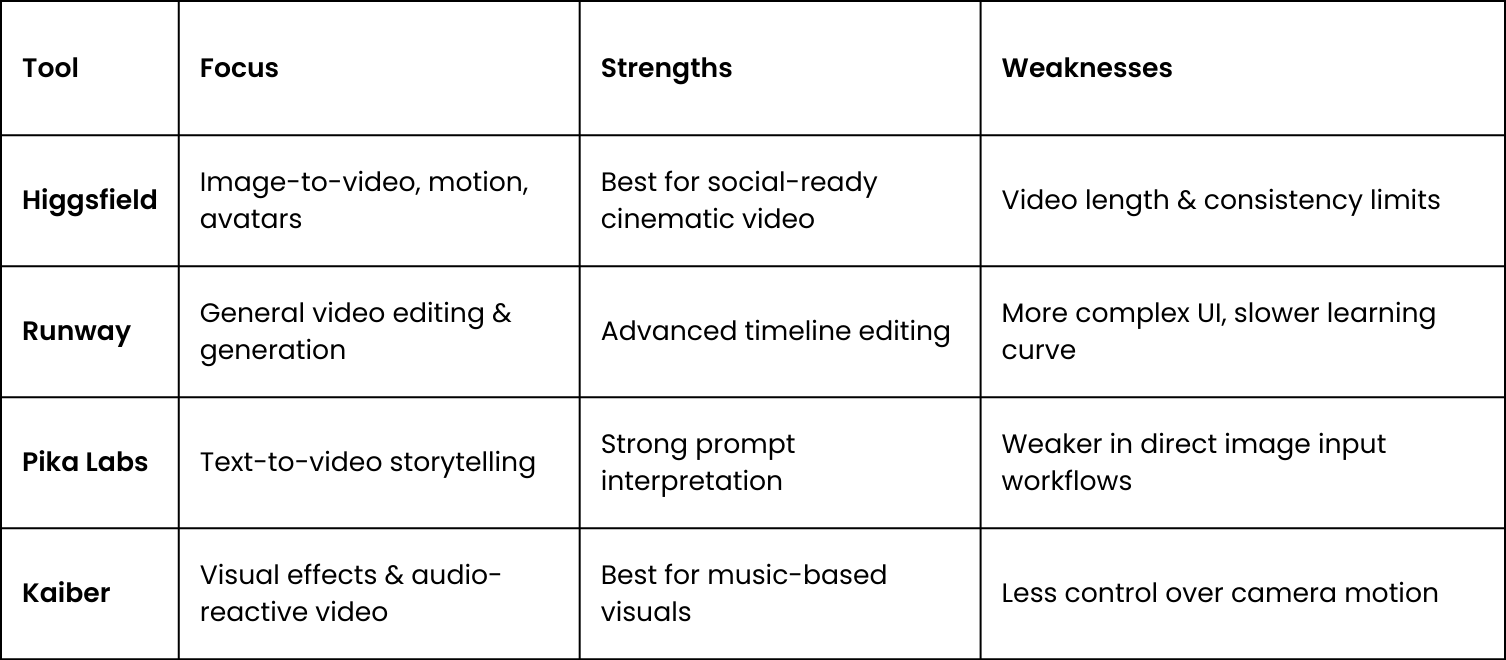
How It Compares to Alternatives
Pricing Overview (As of Q3 2025)
- Free Plan: Limited features, watermark, lower res
- Starter (~$9/mo): Standard tools, image-to-video, basic credits
- Pro (~$17/mo): Higher resolution, more VFX, multi-shot
- Creator (~$29/mo): Unlimited assets, avatars, product placement
- Team Plans: Custom pricing, multi-seat, priority support
Pricing is credit-based, with higher plans offering more credits/month and faster processing. Many features like product placement or Seedream multi-shot require Pro+ plans.
Integrating Higgsfield Into Your Workflow
- Ideation: Start with your best static visual assets. Think about what motion could enhance the story.
- Experiment: Use draw tools and templates to test scenes and effects.
- Iterate: Try different camera styles, re-order scenes, adjust timing.
- Download & Refine: Use exported clips in social schedulers or add them to Adobe Premiere / Final Cut for longer edits.
- Measure: Track engagement vs. static versions. Test CTRs, watch time, conversions.
Strategic Questions for Businesses
- Are we producing enough short-form video content?
- Can we turn our image library into campaign video assets?
- Do we need motion-based product visuals to stay competitive?
- Can non-designers on our team start making content with this?
- How do we protect brand consistency across AI-generated scenes?
- Is there a pilot campaign we can test with Higgsfield next month?
Final Thoughts

Higgsfield represents a powerful leap forward in creative tooling. It makes the jump from still visuals to motion accessible, scalable, and compelling. While it’s not a full replacement for manual video editing, it dramatically lowers the barrier to entry for motion-rich content creation.
For brands looking to increase engagement, differentiate visually, and unlock storytelling potential across platforms like TikTok, Instagram, and YouTube Shorts, Higgsfield can be a strategic addition to your content stack.
The best way to understand it? Start experimenting. Take one of your static brand visuals, add cinematic motion, layer in light effects, and see what Higgsfield can do.
The future of content isn’t still. It moves.
Schedio helps companies navigate emerging AI tools like Higgsfield to future-proof their content and brand.